
Edit Text in a PNG Image
Only have the exported PNG? You can still replace its text. The words are baked into the pixels, so Text Photo AI redraws the wording and returns an image.
Replace a headline in an exported PNG poster
The original 1254 × 1254 PNG reads AFTER FORM. The AI output reads BEYOND FORM and is also a 1254 × 1254 PNG. Open either image at full size to compare the new headline, the smaller text and the surrounding artwork.


Open image to inspect details
Detail comparison · crops from the full images
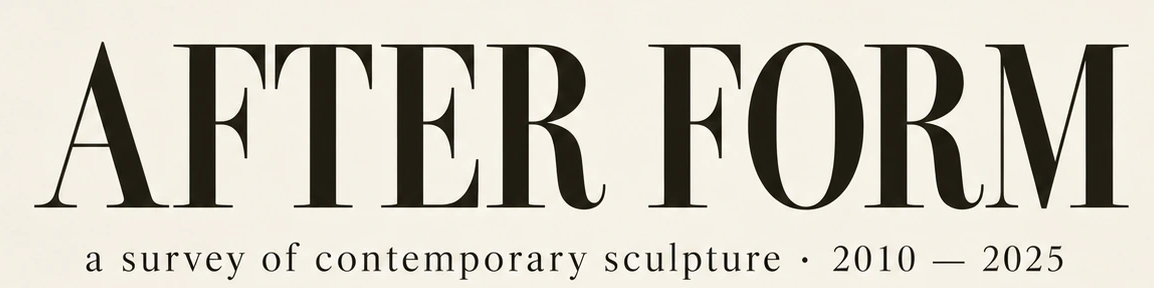
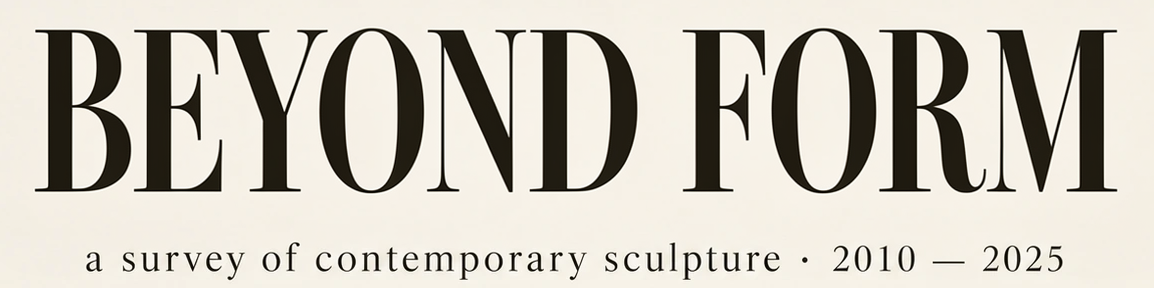
Loading an example is free. AI editing requires sign-in and credits; no generation starts automatically.
Replace the text in a PNG in three steps
- Upload your PNG. Use the clearest export available, up to 10 MB, and keep a copy of the original.
- Enter the old and new words. Fill in Original text and Replacement text. If the same words appear twice, describe the line you want to edit.
- Generate, compare and download. AI replacement requires sign-in and credits. Check the spelling, nearby artwork, dimensions and downloaded file type.
Check the result before you use it
Compare it at full size
Zoom in on small type, edges and any pattern behind the letters. The example above changes the poster headline while keeping the square layout. Download the example PNG to inspect the output.
Check transparency if it matters
The sample poster is opaque. If your PNG has transparent areas, open the download over a contrasting background to check the edges and transparency before using it in another design.
Frequently asked questions
Do I need the original design file or font?
You can work from the PNG alone. AI approximates the visible lettering and returns a flattened image. If you need editable text layers or an exact font match, use the original design file and font when available.
Will I always get a PNG back?
The poster result on this page is a PNG. The downloaded format can depend on the AI output. Check the file type before sending it to a printer or adding it to another project.
Last updated: 2026-11-18